

Showing the single result
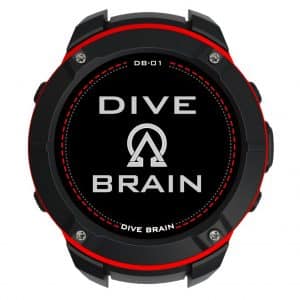
A freediving dive computer tracks the data that matters on every dive: depth, dive time, surface interval, and water temperature. For freedivers specifically, the ability to monitor surface interval between dives is as important as depth tracking — inadequate recovery time is a primary factor in shallow water blackout. The DB-01 by DIVEBRAIN is the dive computer in this range, combining a full-featured freediving mode with scuba and technical diving capability in a single compact wrist unit.
What a Freediving Computer Actually Does
A freediving computer does not calculate decompression in the same sense as a scuba computer — freedivers do not accumulate nitrogen at depth the way scuba divers do. What a freediving computer does is log and display the parameters that inform safe surface interval management and performance tracking: current depth, dive time, last maximum depth, last dive time, and surface interval since the last dive. These figures allow the diver and their safety partner to make informed decisions about when to dive again rather than estimating by feel.
Beyond basic logging, depth and time alarms are among the most practically useful features a freediving computer offers. Configurable alarms for depth and dive time — delivered via vibration and/or audible alert — give the diver an independent signal to begin ascent without relying on a buddy’s surface signals. This is particularly valuable for solo training or in conditions where surface communication is difficult.
The DB-01 — DIVEBRAIN
The DB-01 is a multi-mode dive computer covering recreational scuba, freediving, and technical diving in a single unit. The freediving mode displays surface interval, last depth, last dive time, and a stopwatch, with configurable alarms for depth and time in all modes. Alarms are delivered via sound and/or vibration.
The display is a colour sunlight-readable LCD with automatic backlight — 240×240 pixel resolution on a 1.22-inch screen. The lens uses Corning Gorilla Glass for scratch resistance. Five-button navigation keeps operation simple and manageable with cold or gloved hands. The unit weighs 75 g and is rated to 100 metres (10 ATM).
The DB-01 includes GPS and an electronic compass, a built-in database of 9,000+ dive sites worldwide, and storage for 1,000+ logged dives. Dive data syncs to the companion DiveStory PRO app (Android and iOS) via Bluetooth, displaying dive charts with depth, temperature, location, and the option to add site photos. The rechargeable battery delivers up to 25 dives (at an average 45-minute runtime per dive) or 14 days on standby, with 300+ charge cycles rated life.
For divers who also scuba dive, the DB-01’s scuba mode uses the Bühlmann ZH-L16C algorithm with gradient factor setting and 16-tissue interval computation. It supports air, Nitrox (EAN 21–99%), and full Trimix with five configurable gas presets — making it a capable technical diving computer as well as a freediving tool.
Why Surface Interval Monitoring Matters
The primary physiological risk specific to repetitive breath-hold diving is shallow water blackout — loss of consciousness during ascent caused by hypoxia (low oxygen partial pressure) as the diver returns to ambient pressure after a dive. The risk increases with dive frequency: each successive dive without adequate recovery depletes oxygen reserves further and accumulates residual carbon dioxide in the blood, shifting the physiology toward a higher blackout risk.
Most freediving training protocols specify a minimum surface interval of twice the dive time — if a dive takes 2 minutes, the next dive should not begin for at least 4 minutes. A computer that displays the elapsed surface interval removes the need to estimate or manually time this recovery period, reducing the chance of inadvertent under-recovery, particularly during engaging conditions when it is easy to rush the next dive.
What to Look For
- Freediving-specific display. A computer intended for freediving should display surface interval prominently alongside depth and dive time. A scuba computer repurposed for freediving often buries this information or does not display it at all, which defeats its primary safety function for breath-hold divers.
- Configurable depth and time alarms. Vibration alarms are more reliable than audible alarms underwater, where sound propagation can make it difficult to locate the source. A computer that offers both, with the option to configure multiple alarm points for depth and time, gives the diver flexible and reliable in-water prompts.
- Readability. A computer worn on the wrist during freefall and ascent must display large, high-contrast figures readable at depth and in low light. Colour displays with automatic backlight significantly improve readability compared to monochrome low-power displays, particularly when the diver is moving and cannot hold the unit still to read it.
- Multi-mode capability. For divers who freedive and scuba dive, a single computer covering both disciplines is more practical than carrying two units. Verify that the scuba mode’s decompression algorithm and gas support meet the requirements of your diving before relying on it.
- GPS and dive log. GPS logging records the position of each dive site automatically, building a searchable personal logbook over time. For divers who travel to new locations or who want to document depth records at specific sites, this is a useful long-term tool.
Maintenance and Care
Rinse the DB-01 with fresh water after every saltwater session, paying particular attention to the button areas and the charging port. Salt accumulation around the buttons can cause them to stick or provide false input; salt in the charging port will corrode the contacts over time.
Store the unit away from direct sunlight and heat. Colour LCD displays degrade faster under sustained UV and high-temperature exposure than monochrome displays. A protective case or pouch prevents scratch damage to the Gorilla Glass lens during transport.
Maintain battery charge between 20–80% for storage. Lithium-ion cells stored at full charge or fully depleted for extended periods lose capacity faster than cells maintained in the mid-charge range. The 300+ charge cycle rating assumes reasonable charge management.
Check the strap attachment points periodically. Quick-release nylon webbing straps experience wear at the attachment hardware, particularly with regular saltwater use. Replace the strap if the webbing shows fraying or if the quick-release mechanism shows stiffness or corrosion.
FAQ
Do I need a dive computer for freediving?
It is not legally mandatory, but it is strongly recommended for any diver who dives regularly or to depth. A computer removes the need to estimate surface intervals and depth, provides configurable safety alarms, and builds a dive log that is useful for tracking progression and identifying patterns in performance or fatigue. For spearfishers, knowing exact depth on every dive is also practically useful for locating structure and fish.
Can the DB-01 be used as a regular watch?
Yes — the DB-01 is designed to be worn daily. It displays time in standard watch mode and at 75 g is light enough for everyday wear. The Gorilla Glass lens provides the scratch resistance needed for a watch used outside of diving. GPS and electronic compass functions are available outside of dive mode.
How does the surface interval alarm work?
The DB-01 allows presettable alarms for surface interval in freediving mode — when the elapsed surface time since the last dive reaches the configured value, the unit alerts via sound and/or vibration. This is set by the diver before the session based on their planned recovery protocol, typically twice the expected dive time.
Is the DB-01 suitable for competitive freediving?
The DB-01 covers the functional requirements of competitive freediving training — depth logging, surface interval monitoring, and time alarms. For official AIDA or CMAS competition use, check the current equipment approval list for the specific event, as recognised competitions have requirements for which computers are approved for recording official depth attempts.
How does the DiveStory PRO app connect to the computer?
The DB-01 connects to the DiveStory PRO app via Bluetooth. Once paired, logged dives sync automatically to the app, displaying a depth and temperature chart for each dive with GPS location and the option to attach photos. The app is available for both Android and iOS and does not require a subscription to use basic logging and review functions.